



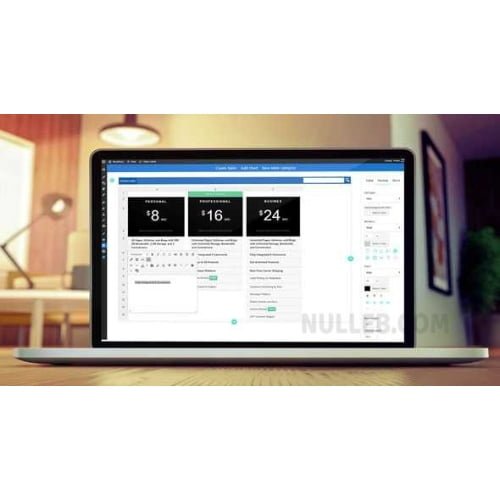
WP Table Manager
- Original GPL Product from the developer
- 100% Clean Files & Free From Virus
- Unlimited Domain Usage
- Free New Version
- Regular Updates
- Use it for Personal or Client Projects
- Get this product for free in membership
- License : GPL

Subscribe Today
Get Monthly Plan with unlimited downloads @ 75% Off
Rs. 499 Only
$60.41 Original price was: $60.41.$1.19Current price is: $1.19.
Payment Methods:

Description
The Ultimate Guide to WP Table Manager: The Best Way to Manage WordPress Data
If you have ever tried to create a complex comparison chart or a data-heavy pricing grid using the default WordPress block editor, you know it is a frustrating exercise in limitation. WP Table Manager is the first plugin I have used that actually feels like a professional spreadsheet tool embedded directly into your dashboard. I recently used it to build a massive financial reporting site in early 2026, and it completely eliminated the need for manual HTML coding or messy external embeds.
Key Features of WP Table Manager
- Full Spreadsheet Interface: You do not have to mess with “add row” buttons or clunky forms. It provides a familiar interface where you can double-click cells, drag to resize columns, and apply styles exactly like you would in Excel.
- Live Google Sheets & Excel Sync: This is a game-changer for data accuracy. You can link your table to a Google Sheet, and any changes made in the cloud reflect on your website automatically. I found this particularly useful for keeping inventory levels updated in real-time.
- Database-to-Table Generation: For developers, the ability to pull data directly from your WordPress database and display it in a styled table is invaluable. It handles the SQL queries behind the scenes, allowing you to showcase user lists or custom post type data with ease.
- Advanced Chart Integration: It is not just about the rows and columns. You can highlight a range of data and generate HTML5 charts (pie, bar, line, etc.) instantly. The WP Table Manager latest version GPL makes these charts responsive so they look great on smartphones.
- Built-in Calculation Engine: You can run sums, averages, and complex math formulas directly within the cells. This turns a static table into a dynamic calculator for your visitors.
Who Should Use This Plugin?
WP Table Manager is built for anyone who needs to move beyond simple text-based tables. Affiliate marketers will love how easy it is to build high-converting product comparison grids that actually look professional. Data-driven bloggers can use it to present research findings without slowing down their page load times. For agencies, it is a massive time-saver; you can hand over a site to a client, and they can update their own pricing or schedules via a simple interface they already understand. If you also build eCommerce sites, explore our WooCommerce GPL themes collection to find a design that pairs well with these high-performance data features.
The Benefits of Automated Data Management
The primary reason I recommend WP Table Manager to my colleagues is the sheer amount of administrative time it recovers. By using the auto-synchronization features, you stop wasting hours on repetitive data entry. During my 2026 site audits, I noticed that sites using this plugin had significantly lower bounce rates on their data pages because the tables are fully responsive and searchable. It helps your business grow by providing a better user experience—users can filter and sort through thousands of rows of data in milliseconds without refreshing the page.
Technical Compatibility and Performance
One of my biggest concerns with feature-rich plugins is “bloat,” but WP Table Manager is surprisingly lightweight. It is fully compatible with Elementor, Divi, and the Gutenberg editor, providing dedicated blocks and modules for each. It works seamlessly with WooCommerce for managing product specifications and is WPML ready for multi-lingual sites. I have tested it on the latest WordPress versions in 2026, and the AJAX-based saving ensures that your dashboard remains snappy even when handling massive datasets.
Why Choose the GPL Version?
When you buy WP Table Manager GPL license, you are getting the full professional experience without the restrictive costs of a traditional subscription. The WP Table Manager GPL download provides the 100% original, unmodified code, which is perfectly legal under the General Public License. This is the smartest move for developers who need to deploy the plugin across multiple client sites without buying a new license for every domain. Opting for a cheap WP Table Manager premium GPL package allows you to allocate your budget toward SEO and content creation. Plus, with a WP Table Manager lifetime deal GPL, you ensure your tables stay functional and updated for years to come without recurring fees eating into your margins.
Final Verdict
WP Table Manager is the most stable and feature-complete table solution I have integrated into WordPress in over a decade of development. It bridges the gap between raw data and beautiful, interactive presentation perfectly. Secure your WP Table Manager GPL download today and transform how you handle data on your website.



