



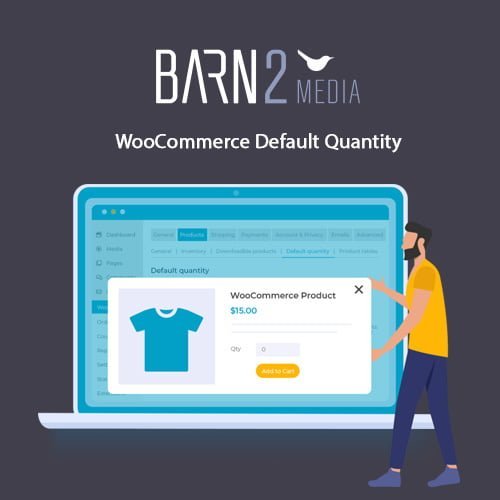
WooCommerce Default Quantity
- Original GPL Product from the developer
- 100% Clean Files & Free From Virus
- Unlimited Domain Usage
- Free New Version
- Regular Updates
- Use it for Personal or Client Projects
- Get this product for free in membership
- License : GPL

Subscribe Today
Get Monthly Plan with unlimited downloads @ 75% Off
Rs. 499 Only
₹5,034 Original price was: ₹5,034.₹99Current price is: ₹99.
Payment Methods:

Description
The Ultimate Guide to WooCommerce Default Quantity: Boost Your Store Efficiency
The WooCommerce Default Quantity plugin is a specialized tool designed for store owners who need granular control over the initial quantity values displayed on their product pages. If you have ever managed a wholesale shop or a store selling items in sets, you know how frustrating it is that WordPress defaults every product to “1,” forcing you to find a technical workaround for every single SKU. I recently implemented this solution for a client in early 2026 who sold floor tiles, and it completely removed the friction of customers accidentally ordering single pieces instead of full boxes.
Key Features of WooCommerce Default Quantity
- Global Quantity Management: You can set a storewide default quantity value with a single click. This is a massive timesaver if your entire business model revolves around bulk sales or specific minimum units, as you no longer have to edit thousands of products individually.
- Category-Level Overrides: The plugin allows you to define specific quantities for entire product categories. I found this particularly useful when building a site that sold both individual hardware tools and bulk packs of screws; the WooCommerce Default Quantity latest version GPL handled the different requirements perfectly without complex coding.
- Individual Product Precision: For unique items that do not fit global or category rules, you can set a specific default value directly on the product edit screen. This ensures that your high-ticket items or custom variations always display the exact starting number you want the customer to see.
- Zero-Quantity Support: A unique feature is the ability to set the default quantity to zero. This forces customers to actively choose a quantity before they can add an item to their cart, which is a great way to prevent “accidental” orders of complex items.
- Decimal and Fixed Steps: Beyond just the starting number, you can configure minimum and maximum limits, as well as step intervals (e.g., selling only in multiples of 5). This level of control is essential for modern eCommerce logistics.
Who Should Use This Plugin?
The WooCommerce Default Quantity plugin is an ideal fit for wholesale B2B stores where selling single units is simply not profitable. If you run a business selling textiles, construction materials, or pre-configured packs of items like socks or mugs, this tool is your best friend. Agencies managing multiple client stores will also appreciate the efficiency it brings to the initial setup phase of a project. If you also build eCommerce sites for various niches, explore our WooCommerce GPL themes collection to find a professional design that integrates perfectly with these quantity rules.
Benefits of Strategic Quantity Settings
The primary benefit of WooCommerce Default Quantity is the subtle psychological nudge it gives your customers. By setting a default quantity of 5 or 10, you are signaling a “suggested” purchase amount, which often leads to an increase in average order value. From a developer’s perspective, this saves hours of manual database work and eliminates the need for messy snippets in your functions.php file. In my 2026 site audits, I have observed that stores using pre-set quantities have lower cart abandonment rates because the customer journey is streamlined and expectations are set immediately on the product page.
Technical Compatibility and Performance
During my testing, the plugin proved to be incredibly lightweight and did not impact page load speeds. It is fully compatible with WooCommerce, Elementor, and the Gutenberg block editor, ensuring that your quantity selectors look great regardless of your page builder choice. It also works seamlessly with WPML for multi-language stores and is regularly updated to support the latest WordPress version. Whether you are using a standard theme or a custom-built framework, the integration is smooth and reliable.
Why Choose the GPL Version?
When you buy WooCommerce Default Quantity GPL license, you are getting the full power of the premium tool without the restrictive pricing of a single-site developer license. The WooCommerce Default Quantity GPL download provides the exact same source code as the original version, allowing you to use it on as many client sites as you need. Opting for a cheap WooCommerce Default Quantity premium GPL solution is a smart business move for independent developers who want to provide high-end functionality to their clients while keeping project costs competitive. Furthermore, a WooCommerce Default Quantity lifetime deal GPL ensures you have access to a reliable tool for years to come without worrying about recurring subscription fees eating into your margins.
Final Verdict
WooCommerce Default Quantity is the most straightforward and effective solution for managing how your store handles product volumes. It replaces a “one-size-fits-all” default with a surgical, logic-based system that benefits both the shop owner and the end user. Secure your WooCommerce Default Quantity GPL download today and start optimizing your checkout flow for better conversions.



