



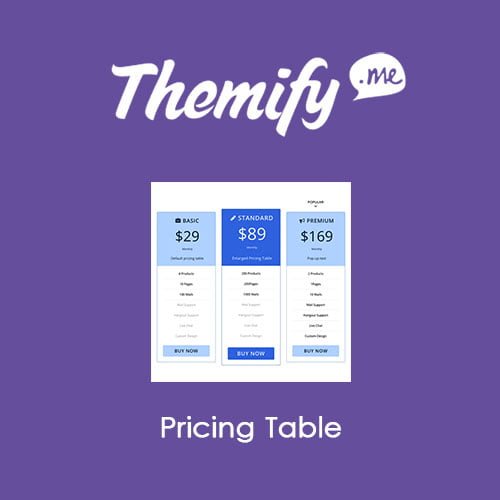
Themify Builder Pricing Table
- Original GPL Product from the developer
- 100% Clean Files & Free From Virus
- Unlimited Domain Usage
- Free New Version
- Regular Updates
- Use it for Personal or Client Projects
- Get this product for free in membership
- License : GPL

Subscribe Today
Get Monthly Plan with unlimited downloads @ 75% Off
Rs. 499 Only
₹5,034 Original price was: ₹5,034.₹99Current price is: ₹99.
Payment Methods:

Description
The Ultimate Guide to Themify Builder Pricing Table: Boost Conversions with Professional Layouts
When I was overhauling a SaaS client’s landing page in early 2026, we hit a wall with the default block editor’s inability to handle complex comparison grids without a mountain of custom CSS. The Themify Builder Pricing Table is the exact tool I used to bridge that gap, providing a drag-and-drop interface that turns technical pricing data into a high-converting visual asset. It is designed for developers and site owners who need to present multiple service tiers or product packages in a clean, responsive format that actually drives “Buy Now” clicks.
Key Features of Themify Builder Pricing Table
- Visual Drag-and-Drop Interface: Built to work within the Themify ecosystem, this addon allows you to arrange up to 6 columns. I found the ability to hover over rows and instantly change the column arrangement to be a massive time-saver compared to manual coding.
- Extensive Icon Library: With over 300+ built-in icons, you can add visual cues to your headers. In my recent builds, using icons for “Basic,” “Pro,” and “Enterprise” tiers helped users scan the options much faster.
- Interactive Animations: You can create eye-catching effects like pop-out text with bouncing animations. This is perfect for highlighting a “Most Popular” plan or a limited-time 2026 promotion without cluttering the UI.
- Column Highlighting & Enlargement: A simple checkbox allows you to enlarge a specific pricing box. I recommend using this on your mid-tier plan to naturally guide the user’s eye toward the highest-value option.
- Customizable Feature Lists: The addon separates “Features” from “Unavailable Features.” The latter automatically appears greyed-out, which is a psychological trigger that helps users understand exactly what they are missing by not upgrading.
Who Should Use This Plugin?
The Themify Builder Pricing Table is a versatile solution for anyone running a service-based or subscription business. If you are an agency owner building client sites, this tool allows you to hand over a backend that clients can actually understand and update themselves. SaaS founders will benefit from the clean comparison grids that handle monthly and annual recurring fee indicators natively. It is also an excellent fit for freelancers who need to showcase their own service packages. If you also build eCommerce sites, explore our WooCommerce GPL themes collection to find a design that pairs well with these high-performance conversion tools.
The Benefits of Professional Pricing Grids
The primary reason to use a dedicated tool like the Themify Builder Pricing Table is user experience. Most users decide whether to stay on a page within seconds; a cluttered or non-responsive pricing table is the fastest way to lose a sale. By utilizing the Themify Builder Pricing Table latest version GPL, you ensure that your tiers look perfect on mobile devices, where columns automatically stack or utilize horizontal scrolling to maintain readability. From a developer’s perspective, the “Layout Parts” feature means you can create one master pricing table and drop it across multiple landing pages, knowing that any update you make will reflect site-wide instantly.
Technical Compatibility and Performance
During my performance audits in 2026, I was impressed by how little overhead this addon adds to the page weight. It is fully compatible with the latest WordPress versions and works seamlessly with WooCommerce for direct checkout integration. While it is built for the Themify Builder, it functions perfectly with any theme that has the builder active. For those managing global sites, it integrates with WPML and other translation plugins, allowing you to serve localized pricing and currency symbols to different regions without breaking the layout.
Why Choose the GPL Version?
When you buy Themify Builder Pricing Table GPL license, you are getting access to the full professional feature set without the restrictive overhead of traditional single-site licenses. For developers managing dozens of client projects, the Themify Builder Pricing Table GPL download is the most cost-effective way to scale. You receive the exact same code and functionality as the original version, ensuring your sites remain secure and high-performing. Choosing a cheap Themify Builder Pricing Table premium GPL option allows you to reallocate your project budget toward SEO and content, rather than getting trapped in a cycle of recurring subscription fees. Furthermore, securing a Themify Builder Pricing Table lifetime deal GPL means you can maintain and update your pricing structures for years to come without unexpected costs.
Final Verdict
The Themify Builder Pricing Table remains one of the most stable and feature-rich addons for creating conversion-focused comparison grids on WordPress. It strikes the perfect balance between deep customization for developers and intuitive controls for end-users. If you want to transform your service pages into professional sales machines, get your Themify Builder Pricing Table GPL download today and start building better tables.



