



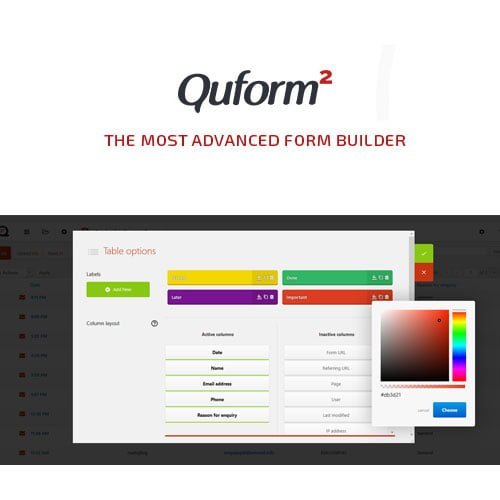
Quform – WordPress Form Builder
- Original GPL Product from the developer
- 100% Clean Files & Free From Virus
- Unlimited Domain Usage
- Free New Version
- Regular Updates
- Use it for Personal or Client Projects
- Get this product for free in membership
- License : GPL

Subscribe Today
Get Monthly Plan with unlimited downloads @ 75% Off
Rs. 499 Only
₹5,034 Original price was: ₹5,034.₹99Current price is: ₹99.
Payment Methods:

Description
The Ultimate Guide to Quform – WordPress Form Builder: Build Complex Forms Fast
Managing data entry on a high-traffic site often feels like a constant battle between user experience and technical constraints. Quform – WordPress Form Builder is a premium solution designed for developers and site owners who need to build everything from simple contact fields to intricate, multi-page booking systems without writing a single line of PHP. I recently deployed the Quform WordPress Form Builder latest version GPL for a client project in early 2026, and it completely transformed how we handle their complex lead generation funnels.
Key Features of Quform – WordPress Form Builder
- Intuitive Drag-and-Drop Interface: Building forms is entirely visual. You can add, move, and edit elements with one click. During my testing, I found the interface much faster than standard block-based builders because it is specifically optimized for form logic rather than general page layout.
- Advanced Conditional Logic: You can show or hide specific fields based on a user’s previous answers. This is essential for creating a personalized experience that doesn’t overwhelm the visitor with irrelevant questions. The Quform WordPress Form Builder latest version GPL handles these transitions smoothly without page reloads.
- Multi-Page Form Support: For long surveys or detailed applications, splitting the form into steps is a game-changer for conversion rates. It includes progress bars and easy navigation, which I have used to reduce bounce rates on registration pages significantly.
- Extensive Styling Control: Unlike many plugins that require custom CSS to look decent, this tool offers 11 built-in themes and a color picker. You can fine-tune element sizes and button animations directly in the settings to match your brand’s aesthetic perfectly.
- Powerful Entry Management: All submissions are saved to your WordPress database. You can view, edit, and even label entries directly from the admin dashboard, making it a mini-CRM for managing customer feedback or job applications.
Who Should Use This Plugin?
Quform – WordPress Form Builder is the ideal choice for agencies and freelancers who need a reliable, “set-and-forget” tool for client sites. If you are a business owner running a service-based website, the ability to create custom quote forms will help you pre-qualify leads before they even reach your inbox. It is also a perfect fit for eCommerce store owners who need to collect additional information for custom orders or wholesale inquiries. If you also build eCommerce sites, explore our WooCommerce GPL themes collection to find a design that pairs well with these high-performance forms.
Benefits of Choosing Quform
The primary benefit of using Quform – WordPress Form Builder is the massive amount of time saved on development. Instead of hacking together custom templates or wrestling with restrictive free plugins, you get a professional-grade toolkit that works out of the box. From my experience, the built-in anti-spam protection (using reCAPTCHA and honeypot methods) is incredibly effective, saving you hours of cleaning up bot submissions. Furthermore, the performance optimization ensures that your forms load instantly, which is a critical factor for Core Web Vitals in 2026. By automating your data collection and notification system, you can focus on scaling your business rather than managing technical debt.
Technical Compatibility
I was impressed by how well this plugin integrates with the modern WordPress ecosystem. It is fully compatible with WordPress 6.x and works seamlessly alongside popular page builders like Elementor, Divi, and Gutenberg. For those running global operations, it is WPML compatible, allowing you to create multilingual forms with ease. It also plays nicely with WooCommerce, making it easy to add custom fields to checkout processes or product pages.
Why Choose the GPL Version?
When you buy Quform WordPress Form Builder GPL license, you are making a smart financial decision for your development workflow. The Quform WordPress Form Builder GPL download provides you with the exact same 100% original code as the regular license but without the restrictive “single-site” limitations. This is particularly beneficial for developers who need to test the plugin across multiple staging environments or deploy it on various client sites without ballooning the project budget. Opting for a cheap Quform WordPress Form Builder premium GPL solution allows you to access premium features like unlimited emails, file uploads, and conditional logic at a fraction of the cost. Additionally, with a Quform WordPress Form Builder lifetime deal GPL, you can ensure your sites remain functional and updated without worrying about recurring subscription fees cutting into your margins.
Final Verdict
Quform – WordPress Form Builder remains the most stable and feature-rich form solution I have used in 2026. It bridges the gap between basic contact forms and complex data-driven applications with an interface that anyone can master. Secure your Quform WordPress Form Builder GPL download today and start building forms that actually convert.



