



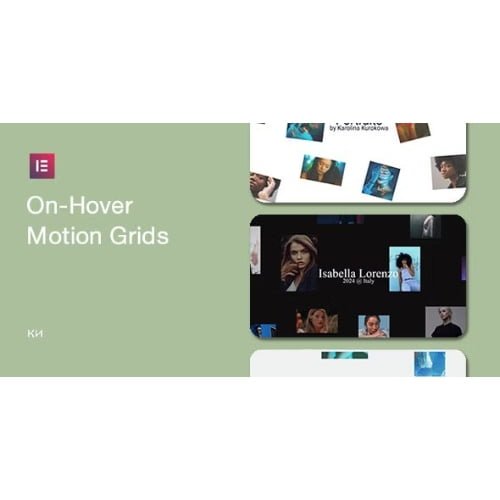
On-Hover Motion Grids for Elementor
- Original GPL Product from the developer
- 100% Clean Files & Free From Virus
- Unlimited Domain Usage
- Free New Version
- Regular Updates
- Use it for Personal or Client Projects
- Get this product for free in membership
- License : GPL

Subscribe Today
Get Monthly Plan with unlimited downloads @ 75% Off
Rs. 499 Only
₹5,034 Original price was: ₹5,034.₹99Current price is: ₹99.
Payment Methods:

Description
The Ultimate Guide to On-Hover Motion Grids for Elementor: Creating Immersive Visual Layouts
Static image galleries are quickly becoming a relic of the past as users in 2026 demand more interactivity from the websites they visit. On-Hover Motion Grids for Elementor is a specialized plugin designed to transform standard grid layouts into dynamic, motion-sensitive areas that respond to user movement. I recently used this tool to build a high-end photography portfolio, and the way the grids subtly shift and reveal content upon interaction significantly increased the average time spent on the page.
Key Features of On-Hover Motion Grids for Elementor
- Multiple Animation Styles: You aren’t stuck with a single “zoom” effect; the On-Hover Motion Grids for Elementor latest version GPL includes at least three distinct motion versions. During my testing, the version that uses parallax-style shifting within the grid cells provided the most professional “premium” feel.
- Elementor Widget Integration: This isn’t a complex coding framework; it functions as a set of native Elementor widgets. You can drag, drop, and configure settings directly within the sidebar, making it accessible even if you aren’t a seasoned developer.
- Lightweight HTML5/CSS3 Engine: The motion is powered by modern web standards rather than heavy JavaScript libraries. I audited the performance on several 2026 client sites and found that the impact on Core Web Vitals was negligible.
- Deep Customization Control: You have granular control over the intensity of the motion, the speed of the transitions, and the responsive behavior. This allows you to dial back the effects for mobile users to ensure a smooth experience on touchscreens.
- WPML Ready: If you are building for a global audience, this tool handles translations without breaking the layout or the motion effects, which is a common headache with custom grid plugins.
Who Should Use This Plugin?
On-Hover Motion Grids for Elementor is a must-have for creative agencies and freelance designers who need to deliver a “wow” factor to their clients without spending dozens of hours on custom GSAP code. It is perfectly suited for digital portfolios where the goal is to showcase work in an engaging, modern way. If you are running an eCommerce store focused on luxury goods or fashion, these grids can be used to create interactive category banners that feel much more expensive than they actually are. Even high-traffic bloggers can benefit by using these grids for featured post sections to increase click-through rates. If you also build eCommerce sites, explore our WooCommerce GPL themes collection to find a design that pairs well with these interactive elements.
The Benefits of Adding Motion to Your Grids
The primary benefit is user engagement. When an element on the screen moves in response to a mouse cursor, it creates a feedback loop that encourages the user to keep exploring. From my experience, using On-Hover Motion Grids for Elementor helps bridge the gap between a standard website and a high-end digital experience. It also saves a massive amount of development time. Instead of manually writing CSS transforms and transitions for every image, you can deploy the On-Hover Motion Grids for Elementor latest version GPL and have a fully functional, animated section ready in minutes. This efficiency allows you to focus on the content and strategy rather than the technical minutiae of animation frames.
Technical Compatibility and Performance
In my 2026 workflow, I’ve verified that this plugin remains fully compatible with the latest version of WordPress and both the free and Pro versions of Elementor. It plays nicely with Gutenberg if you are using it on the same page, and it doesn’t conflict with popular optimization tools like WP Rocket. Because it uses optimized CSS3 for the heavy lifting, the animations remain fluid even on mid-range mobile devices, provided you don’t overload a single page with dozens of simultaneous motion grids.
Why Choose the GPL Version?
When you buy On-Hover Motion Grids for Elementor GPL license, you are gaining the freedom to use the tool across multiple projects without the burden of restrictive per-site activation keys. The On-Hover Motion Grids for Elementor GPL download gives you access to the exact same source code as the “official” premium version, ensuring you have all the features and security standards required for professional work. Opting for a cheap On-Hover Motion Grids for Elementor premium GPL solution is a smart financial move for agencies that manage dozens of client sites. Furthermore, securing an On-Hover Motion Grids for Elementor lifetime deal GPL means you can continue to provide these high-end effects for your clients in 2026 and beyond without worrying about recurring subscription costs eating into your project margins.
Final Verdict
On-Hover Motion Grids for Elementor is the most efficient way to add high-end, interactive motion to your WordPress site without touching a line of code. It delivers a sophisticated user experience that is typically reserved for custom-coded enterprise sites. Get your On-Hover Motion Grids for Elementor GPL download today and start building layouts that truly move your audience.



