



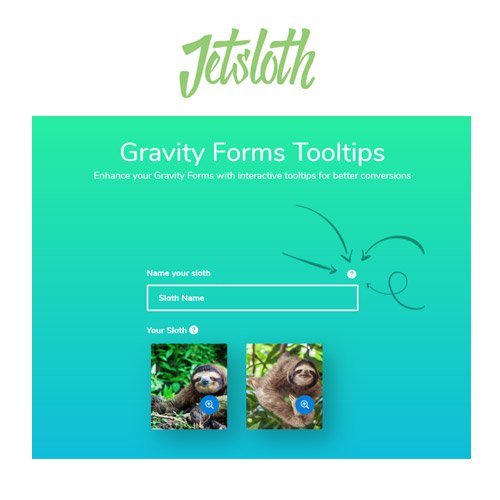
Jetsloth – Gravity Forms Tooltips
- Original GPL Product from the developer
- 100% Clean Files & Free From Virus
- Unlimited Domain Usage
- Free New Version
- Regular Updates
- Use it for Personal or Client Projects
- Get this product for free in membership
- License : GPL

Subscribe Today
Get Monthly Plan with unlimited downloads @ 75% Off
Rs. 499 Only
$60.41 Original price was: $60.41.$1.19Current price is: $1.19.
Payment Methods:

Description
The Ultimate Guide to Jetsloth – Gravity Forms Tooltips: Enhance Your User Experience
If you have ever watched a user struggle to complete a complex registration or survey, you know that form abandonment is the silent killer of conversions. Jetsloth – Gravity Forms Tooltips is a specialized add-on designed to provide instant, helpful guidance right where users need it most, preventing confusion before it starts. I recently integrated this tool into a high-traffic client portal in early 2026, and the reduction in support tickets regarding “how to fill out this field” was immediate and measurable.
Key Features of Jetsloth – Gravity Forms Tooltips
- Dynamic Tooltip Content: Unlike basic CSS hacks, this plugin allows you to add rich text, HTML, and even shortcodes inside your tooltips. This means you can embed small images or helpful links directly within the hover state, providing a deep level of interaction without cluttering your main UI.
- Granular Design Control: You aren’t stuck with a “one size fits all” look. The Jetsloth – Gravity Forms Tooltips latest version GPL includes a dedicated settings screen where you can adjust the color, icon size, and position (top, bottom, left, or right) to match your specific brand guidelines perfectly.
- Global vs. Local Settings: I found the ability to set a global style and then override it for specific forms to be a massive time-saver. If you have one form that needs high-contrast tooltips for accessibility, you can toggle those settings without affecting the rest of your site.
- Icon Selection Library: The plugin comes with 10 professionally designed, inbuilt icons. Whether you want a subtle “i” information mark or a more prominent question mark, these icons are SVG-based and look sharp on everything from mobile devices to 4K displays.
- Seamless Gravity Forms Integration: Because Jetsloth is a Certified Developer, the tooltips tab appears naturally within the standard Gravity Forms field editor. There is no clunky external interface to manage; it feels like a core part of the WordPress dashboard.
Who Should Use This Plugin?
Jetsloth – Gravity Forms Tooltips is a must-have for agencies and developers who build complex, data-heavy websites. If you are managing an eCommerce store where customers need to understand shipping technicalities or a business site with intricate quote request forms, these tooltips act as a 24/7 digital assistant. Blogger communities that use front-end post submission forms will also find this invaluable for guiding contributors through metadata requirements. If you also build eCommerce sites, explore our WooCommerce GPL themes collection to find a design that pairs well with these technical field enhancements.
Benefits of Adding Tooltips to Your Forms
The primary reason to use this tool is reduced cognitive load. Long forms are intimidating; by hiding secondary information behind a hover icon, you keep your layout clean and professional while still offering help to those who need it. From my experience building sites in 2026, users expect a frictionless experience. When you provide clear, inline validation and guidance, you build trust and authority. You also save significant time on backend data cleaning because users are more likely to provide the correct information the first time when they have a tooltip explaining the required format.
Technical Compatibility and Performance
Performance is a top priority for any modern site owner. I tested the Jetsloth – Gravity Forms Tooltips GPL download on several Gutenberg and Elementor builds, and the impact on page load times was negligible. It is fully compatible with the latest WordPress version and works perfectly alongside other popular add-ons like WPML for multi-language sites. It also integrates smoothly with other JetSloth products like Image Choices and Color Picker, allowing you to create a truly bespoke form-filling experience.
Why Choose the GPL Version?
When you buy Jetsloth – Gravity Forms Tooltips GPL license, you are making a smart financial decision for your development workflow. The GPL license grants you the freedom to use the software on unlimited sites, which is a massive advantage for freelancers managing multiple clients. You receive the exact same 100% original code found in the “official” version, but without the restrictive per-site activation fees. Opting for a cheap Jetsloth – Gravity Forms Tooltips premium GPL license allows you to pass those savings on to your clients or reinvest them into your marketing budget. Furthermore, a Jetsloth – Gravity Forms Tooltips lifetime deal GPL ensures you have access to a powerful UI tool for years to come without worrying about recurring subscriptions cutting into your margins.
Final Verdict
Jetsloth – Gravity Forms Tooltips is the most polished and reliable solution for adding interactive guidance to your WordPress forms. It bridges the gap between a standard form and a professional user interface with ease. Secure your Jetsloth – Gravity Forms Tooltips GPL download today and start building forms that actually convert.



