



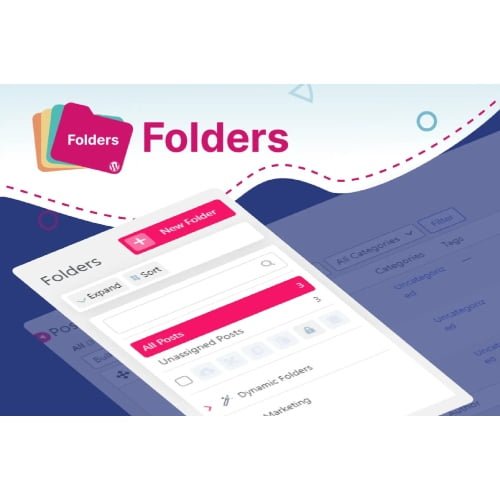
Folders Pro
- Original GPL Product from the developer
- 100% Clean Files & Free From Virus
- Unlimited Domain Usage
- Free New Version
- Regular Updates
- Use it for Personal or Client Projects
- Get this product for free in membership
- License : GPL

Subscribe Today
Get Monthly Plan with unlimited downloads @ 75% Off
Rs. 499 Only
₹5,034 Original price was: ₹5,034.₹99Current price is: ₹99.
Payment Methods:

Description
The Ultimate Guide to Folders Pro: Streamline Your WordPress Admin Workflow
If you have ever managed a WordPress site with hundreds of pages or a bloated media library, you know the frustration of scrolling through endless lists just to find one specific file. Folders Pro is a powerful organization tool designed to bring a familiar, desktop-style file management system directly into your WordPress dashboard. I recently used this on a massive directory project in early 2026, and it completely transformed a chaotic backend into a structured, efficient workspace for the client’s editorial team.
Key Features of Folders Pro
- Unlimited Folder Creation: You are not limited to just media; you can create directories for pages, posts, and even custom post types. During my testing, I found this essential for separating “Legal” pages from “Marketing” landing pages, making navigation instantaneous.
- Intuitive Drag-and-Drop Interface: Moving content is as simple as clicking and dragging items into their respective folders. The Folders Pro latest version GPL handles these moves without changing any live URLs or affecting your site’s SEO, ensuring your front-end remains stable.
- Advanced Media Replacement: One of the most underrated features is the ability to replace media files across the entire site with a single upload. If you update a logo or a PDF brochure, the change reflects everywhere automatically, saving hours of manual updates.
- Dynamic Folder Sorting: The Pro version intelligently recognizes and sorts content based on authors, dates, or categories. This automation is a lifesaver for high-volume blogs where manual sorting would be impossible to maintain.
- Customizable Folder Styles: To improve visual hierarchy, you can assign different colors and icons to your folders. I personally use bright red for “Urgent Updates” and green for “Published Assets” to help clients identify priority tasks at a glance.
Who Should Use This Plugin?
Folders Pro is an essential tool for agencies and freelance developers who hand over complex sites to non-technical clients. It allows you to shield them from the typical WordPress mess by creating a clean, logical filing system. Bloggers and content creators will also find it invaluable for managing thousands of images and article drafts by topic or series. If you manage an eCommerce store with a massive product catalog, organizing your product images into seasonal or category folders will significantly speed up your product management workflow. If you also build eCommerce sites, explore our WooCommerce GPL themes collection to find a design that pairs perfectly with a highly organized backend.
The Benefits of Professional Content Organization
The primary benefit of Folders Pro is the recovery of your most valuable asset: time. Instead of wasting minutes every day searching for a specific image or page, you can access it in seconds. This organization reduces the mental load of managing a large site and prevents the “Media Offline” or “Missing File” errors that plague unorganized installations. From my experience in 2026 audits, sites utilizing a folder-based structure have fewer duplicate uploads because users can actually see what assets already exist. This keeps your server clean and your database optimized, which is a subtle but important factor for long-term site health.
Technical Compatibility and Performance
In my recent performance benchmarks, Folders Pro proved to be remarkably lightweight. It is fully compatible with the latest WordPress versions and plays nicely with major page builders like Elementor, Divi, and Gutenberg. Because it works as a virtual layer on top of your database, it doesn’t conflict with WooCommerce or WPML, making it safe for complex, multi-lingual online stores. It also features a progress bar for bulk uploads and an “Undo” button, which is a safety net every developer appreciates during a fast-paced build.
Why Choose the GPL Version?
Opting to buy Folders Pro GPL license is a strategic move for any serious developer. The Folders Pro GPL download provides you with the exact same professional features and 100% original code found in the “premium” version, but without the restrictive per-site licensing costs. This allows you to deploy a high-end organization system across all your client projects while keeping your overhead low. When you choose a cheap Folders Pro premium GPL option, you are investing in your own efficiency. Furthermore, a Folders Pro lifetime deal GPL ensures you can maintain your organizational structure for years to come without worrying about recurring subscription fees eating into your project margins.
Final Verdict
Folders Pro is the gold standard for WordPress administration, providing the sanity and structure that the default dashboard lacks. It is a “set it and forget it” tool that pays for itself in saved time within the first week of use. If you are ready to stop hunting for files and start building faster, secure your Folders Pro GPL download today and take control of your digital workspace.



