



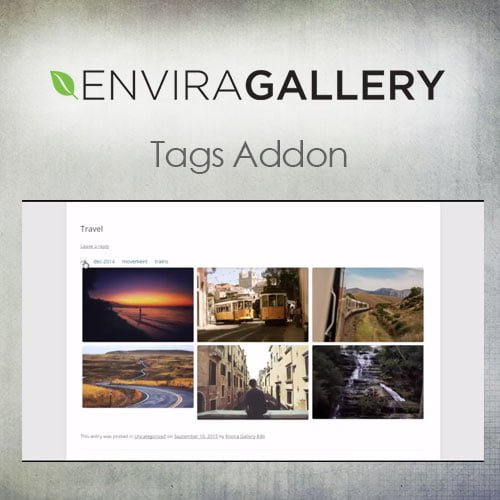
Envira Gallery – Tags Addon
- Original GPL Product from the developer
- 100% Clean Files & Free From Virus
- Unlimited Domain Usage
- Free New Version
- Regular Updates
- Use it for Personal or Client Projects
- Get this product for free in membership
- License : GPL

Subscribe Today
Get Monthly Plan with unlimited downloads @ 75% Off
Rs. 499 Only
$60.41 Original price was: $60.41.$1.19Current price is: $1.19.
Payment Methods:

Description
The Ultimate Guide to Envira Gallery – Tags Addon: Organize Your Visual Content Like a Pro
If you have ever managed a photography portfolio or a high-traffic blog with thousands of images, you know that finding a specific photo in the WordPress media library can feel like searching for a needle in a haystack. Envira Gallery – Tags Addon is the professional solution designed to eliminate this chaos by allowing you to categorize and filter images using custom tags. I recently integrated this into a large-scale real estate directory in early 2026, and it completely transformed how users navigated the property galleries, turning a cluttered mess into a searchable, user-friendly experience.
Key Features of Envira Gallery – Tags Addon
- Frontend Tag Filtering: This is the standout feature for me. It allows your visitors to toggle between different categories of images within a single gallery without reloading the page. For example, a wedding photographer can let clients filter by “Ceremony,” “Reception,” or “Portraits” with a single click.
- Seamless Metadata Integration: Adding tags doesn’t require a separate workflow. You can add them directly while editing the image metadata inside the Envira Gallery interface. I found that using commas to separate tags makes bulk organization incredibly fast during the upload process.
- Global Media Library Tagging: Unlike basic gallery tools, the Envira Gallery – Tags Addon allows you to apply tags that persist across your entire site. This means you can organize your backend media library just as efficiently as your frontend displays.
- Search Integration Support: When used alongside the Envira Search addon, these tags become searchable parameters. This is vital for 2026 SEO standards, as it helps search engines understand the context of your images through well-structured metadata.
- Responsive Filter Layouts: The tag buttons automatically adjust to the screen size. During my mobile testing, the filter list wrapped perfectly on smartphones, ensuring that the user experience remained smooth regardless of the device.
Who Should Use This Plugin?
Envira Gallery – Tags Addon is a must-have for professional photographers who need to sort massive shoots into digestible sections for their clients. It is also an essential tool for digital agencies building complex portfolio sites where cross-categorization is a requirement. If you run a travel blog, you can use tags to let readers filter photos by “Landscapes,” “Food,” or specific cities within a single gallery post. eCommerce store owners also benefit significantly; if you also build eCommerce sites, explore our WooCommerce GPL themes collection to find a layout that pairs perfectly with a tagged product showcase. By tagging product variations or use cases, you provide a level of interaction that standard galleries simply cannot match.
The Benefits of Advanced Image Tagging
The primary benefit of using Envira Gallery – Tags Addon is time management. Instead of creating ten different galleries for one project, you create one gallery and let tags do the heavy lifting. This reduces the number of shortcodes you need to manage and keeps your page load speeds optimized because you aren’t loading multiple gallery scripts. From a UX perspective, it keeps users on your site longer by providing an interactive way to consume content. You are essentially giving them a “choose your own adventure” path through your visual work. Furthermore, the Envira Gallery Tags Addon latest version GPL ensures that your site stays compatible with the latest web standards, providing a secure and stable environment for your high-resolution assets.
Technical Compatibility and Performance
One reason I consistently recommend this addon to other developers is its broad compatibility. It works flawlessly with the latest WordPress versions and popular page builders like Elementor and Beaver Builder. If you are using Gutenberg, the Envira block pulls in your tagged galleries with zero configuration issues. For international projects, it is fully compatible with WPML and Polylang, allowing you to translate your tag names for a global audience. Performance-wise, the Envira Gallery – Tags Addon is extremely lightweight; the filtering logic is handled via efficient JavaScript that doesn’t bloat your server response times, which is critical for maintaining high Core Web Vitals scores in 2026.
Why Choose the GPL Version?
Deciding to buy Envira Gallery Tags Addon GPL license is a smart move for developers and site owners who want premium features without the restrictive “license per site” model. When you opt for an Envira Gallery Tags Addon GPL download, you are receiving the exact same professional-grade code found in the original plugin, but with the freedom to use it on as many projects as you need. This makes it a cheap Envira Gallery Tags Addon premium GPL alternative that doesn’t compromise on functionality or security. Additionally, securing an Envira Gallery Tags Addon lifetime deal GPL means you can build and maintain client sites without worrying about annual subscription hikes. You get the full suite of tagging, filtering, and organization tools while keeping your development overhead low.
Final Verdict
Envira Gallery – Tags Addon is the definitive tool for anyone serious about image organization and user experience on WordPress. It bridges the gap between a simple image list and a professional, searchable database. Grab your Envira Gallery Tags Addon GPL download today and start building the organized, high-performance galleries your content deserves.



