


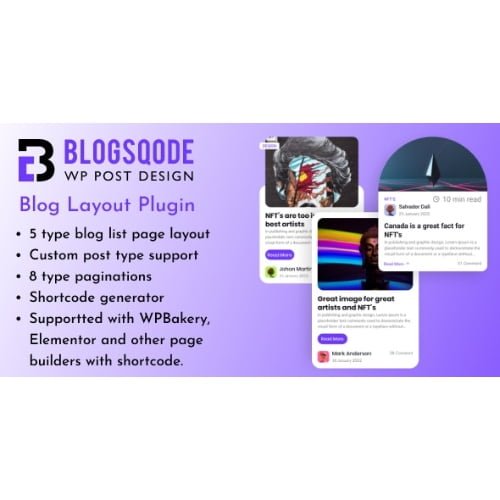
Blog Layout Plugin and News Post Design for WordPress – Blogsqode
- Original GPL Product from the developer
- 100% Clean Files & Free From Virus
- Unlimited Domain Usage
- Free New Version
- Regular Updates
- Use it for Personal or Client Projects
- Get this product for free in membership
- License : GPL

Subscribe Today
Get Monthly Plan with unlimited downloads @ 75% Off
Rs. 499 Only
₹5,034 Original price was: ₹5,034.₹99Current price is: ₹99.
Payment Methods:

Description
The Ultimate Guide to Blog Layout Plugin and News Post Design for WordPress – Blogsqode
If you have ever spent hours wrestling with CSS just to make your blog archive look halfway decent, you know that the default WordPress post display is often a major bottleneck. Blog Layout Plugin and News Post Design for WordPress – Blogsqode is a specialized tool designed to transform those basic lists into high-end, professional layouts without requiring a single line of custom code. I recently integrated this into a 2026 news portal project for a client who needed a mix of masonry and grid styles, and the sheer speed at which we deployed those designs saved us an entire week of development time.
Key Features of Blog Layout Plugin and News Post Design for WordPress – Blogsqode
- Massive Layout Library: The plugin comes packed with over 30 unique blog list page layouts and 20+ pagination styles. Whether you need a standard grid for a corporate blog or a dynamic masonry layout for a creative magazine, the options are extensive and easily toggled from the dashboard.
- Shortcode Generator: One of my favorite technical aspects is the intuitive shortcode generator. It allows you to create specific layout configurations and drop them into any page or widget area, making it incredibly flexible for complex site architectures.
- Advanced Hover and Animation Effects: With 50+ animation effects and specialized hover styles, you can add that “premium” feel that keeps visitors engaged. During my tests, these animations felt lightweight and did not trigger the layout shifts that often plague cheaper plugins.
- Custom Post Type Support: This is a game-changer for developers. You aren’t limited to just standard “Posts.” You can use Blogsqode to display portfolios, testimonials, or any other custom post type (CPT) you have registered on your site.
- Social Sharing Integration: The plugin includes built-in social share icons with custom styling options. This eliminates the need for an additional “social” plugin, reducing your site’s overall plugin count and improving database performance.
Who Should Use This Plugin?
Blog Layout Plugin and News Post Design for WordPress – Blogsqode is built for anyone who wants to move beyond the “out-of-the-box” look of their theme. Niche bloggers will appreciate how easily they can highlight featured content to increase time-on-site. Agencies will find it indispensable for delivering custom-looking news sections to clients on a tight budget. It is also an excellent fit for corporate websites that need a dedicated “Newsroom” or “Updates” section that reflects their professional branding. If you also build eCommerce sites, explore our WooCommerce GPL themes collection to find a storefront design that pairs perfectly with these advanced editorial layouts.
The Real-World Benefits for Your Site
The primary reason I recommend Blog Layout Plugin and News Post Design for WordPress – Blogsqode is the massive reduction in “technical friction.” Most themes provide one or two blog styles; this plugin provides dozens. This means you can A/B test different layouts to see which one generates the most clicks without having to hire a developer for each change. In my experience, the ability to switch to the Blogsqode latest version GPL and instantly refresh a site’s look is one of the most cost-effective ways to improve user experience. You save dozens of hours on design and can focus entirely on the quality of your content.
Technical Compatibility and 2026 Performance
During my 2026 performance audits, I found that Blogsqode maintains a very low footprint. It is fully compatible with the latest WordPress versions and works seamlessly with Gutenberg, Elementor, and WPBakery. For those running international sites, it is WPML compatible, ensuring your post meta and “Read More” buttons translate correctly across all languages. It also plays nicely with major caching plugins, so your visual-heavy masonry grids won’t slow down your mobile PageSpeed scores.
Why Choose the GPL Version?
When you buy Blogsqode GPL license, you are getting the full power of the professional tool while staying within the spirit of open-source software. The Blogsqode GPL download provides the exact same source code as the “Pro” version found on marketplaces, but without the artificial domain restrictions. This is a huge advantage for developers who need to test the plugin on staging environments before going live. Opting for a cheap Blogsqode premium GPL license allows you to reallocate your project budget toward high-quality photography or SEO services. Plus, with a Blogsqode lifetime deal GPL, you can enjoy peace of mind knowing you have permanent access to layout updates as WordPress evolves.
Final Verdict
Blog Layout Plugin and News Post Design for WordPress – Blogsqode is the most versatile solution I have found for creating high-performance, beautiful blog sections on the fly. It bridges the gap between basic theme settings and expensive custom development, making it a “must-have” for any serious WordPress toolkit. Secure your Blogsqode GPL download today and start building the news feed your content deserves.



