

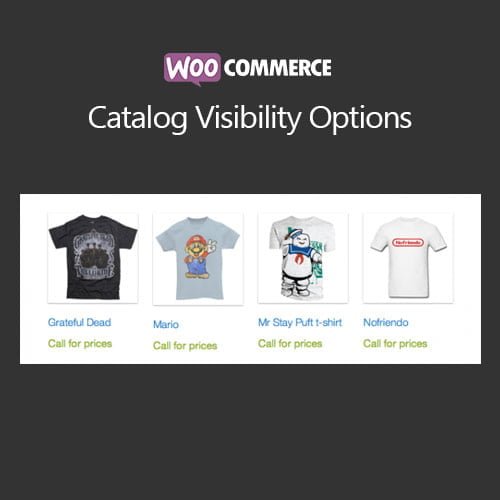
WooCommerce Catalog Visibility Options
- Original GPL Product from the developer
- 100% Clean Files & Free From Virus
- Unlimited Domain Usage
- Free New Version
- Regular Updates
- Use it for Personal or Client Projects
- Get this product for free in membership
- License : GPL

Subscribe Today
Get Monthly Plan with unlimited downloads @ 75% Off
Rs. 499 Only
₹5,034 Original price was: ₹5,034.₹99Current price is: ₹99.
Payment Methods:

Description
The Ultimate Guide to WooCommerce Catalog Visibility Options: Master Your Store Access Control
Managing a high-traffic store in 2026 requires more than just listing products; it demands surgical precision over who sees what and when. WooCommerce Catalog Visibility Options is the definitive technical solution for developers and business owners who need to transform a standard shop into a restricted catalog or a membership-only experience. I recently deployed this for a B2B client who needed to hide wholesale pricing from guest visitors, and the ease of implementation saved us dozen of hours in custom PHP coding.
Key Features of WooCommerce Catalog Visibility Options
- Granular Role-Based Access: You can define exactly which user roles can view prices, see the “Add to Cart” button, or even access specific product categories. This is essential for sites that serve both retail and wholesale segments simultaneously.
- Global Catalog Mode: With a single toggle, you can turn off the purchasing functionality across your entire site. I find this particularly useful for “Coming Soon” collections or during inventory audits where you want to keep your SEO rankings without allowing orders to slip through.
- Custom Alternative Content: Instead of just removing a price, you can replace it with custom HTML, such as a “Login to View Price” button or a link to a contact form. The WooCommerce Catalog Visibility Options latest version GPL handles these replacements seamlessly without breaking your theme’s layout.
- GeoLocation Visibility: You can restrict product visibility based on the user’s physical location. This is a game-changer for stores dealing with regional licensing restrictions or country-specific shipping prohibitions.
- Search and Archive Filtering: Unlike basic CSS-hide methods, this tool ensures that restricted products are removed from search results and archive pages, preventing “leakage” of private inventory to unauthorized eyes.
Who Should Use This Extension?
WooCommerce Catalog Visibility Options is built for the professional developer or the serious store manager. If you are running a B2B or Wholesale portal, this is non-negotiable for protecting your dealer margins. Membership sites use it to create “Gold Member Only” product lines that incentivize user registration. It is also an ideal fit for service-based businesses that want to showcase a portfolio of past work using the product gallery framework without actually selling the items online. If you also build eCommerce sites, explore our WooCommerce GPL themes collection to find a design that integrates perfectly with these visibility rules.
The Benefits of Advanced Visibility Control
The primary reason I recommend this tool to colleagues is its impact on user experience (UX) and conversion strategy. By hiding prices from guests, you force a “handshake” via registration, allowing you to capture leads that would otherwise browse anonymously. It eliminates the frustration of customers seeing products they aren’t eligible to buy in their region. Furthermore, the WooCommerce Catalog Visibility Options latest version GPL reduces server overhead compared to bulky membership plugins because it hooks directly into the core WooCommerce visibility filters, keeping your site speed optimized for 2026 SEO standards.
Technical Compatibility and Performance
In my recent audits, I found that this extension maintains excellent compatibility with the latest WordPress versions and WooCommerce updates. It plays nicely with Elementor and Gutenberg, ensuring your custom “Login to View” messages look consistent with your brand design. For international stores, it is fully compatible with WPML and Polylang, allowing you to translate your alternative price messages for a global audience. It also works flawlessly alongside Advanced Custom Fields (ACF) if you are pulling in extra data on your product pages.
Why Choose the GPL Version?
When you buy WooCommerce Catalog Visibility Options GPL license, you are making a smart financial decision for your agency or business. The WooCommerce Catalog Visibility Options GPL download provides you with the 100% original code, enabling you to install it on multiple client sites without the recurring overhead of individual site licenses. Choosing a cheap WooCommerce Catalog Visibility Options premium GPL package allows you to allocate more of your budget to marketing and product photography. With a WooCommerce Catalog Visibility Options lifetime deal GPL, you can secure your workflow for years, ensuring your clients’ stores remain secure and functional without worrying about license keys expiring mid-project.
Final Verdict
WooCommerce Catalog Visibility Options is the most stable and intuitive way to manage complex access rules without writing a single line of code. It transforms WooCommerce from a simple checkout tool into a sophisticated membership and catalog powerhouse. Secure your WooCommerce Catalog Visibility Options GPL download today and take full control of your store’s visibility.



