



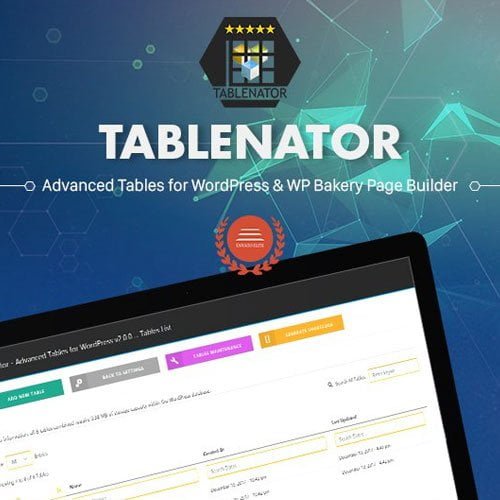
Tablenator – Advanced Tables for Visual Composer
- Original GPL Product from the developer
- 100% Clean Files & Free From Virus
- Unlimited Domain Usage
- Free New Version
- Regular Updates
- Use it for Personal or Client Projects
- Get this product for free in membership
- License : GPL

Subscribe Today
Get Monthly Plan with unlimited downloads @ 75% Off
Rs. 499 Only
₹5,034 Original price was: ₹5,034.₹99Current price is: ₹99.
Payment Methods:

Description
The Ultimate Guide to Tablenator – Advanced Tables for Visual Composer
If you have ever tried to build a complex data table using the default WordPress editor, you know it is a exercise in frustration that usually ends with broken layouts on mobile devices. Tablenator – Advanced Tables for Visual Composer is the specialized solution I turn to when a project requires heavy-duty data presentation without the nightmare of manual HTML coding. I recently implemented this on a massive technical specification site in early 2026, and it completely transformed how we handled thousands of rows of product data across different device breakpoints.
Key Features of Tablenator – Advanced Tables for Visual Composer
- Interactive Drag-and-Drop Builder: This is the standout feature for me. Instead of wrestling with shortcodes, you get a visual interface directly inside WPBakery Page Builder. You can move rows and columns around just like a spreadsheet, which is a massive time-saver when clients change their minds about data order at the last minute.
- True Responsive Design: Most table plugins just “squish” the data. Tablenator – Advanced Tables for Visual Composer allows you to define exactly how the table behaves on smartphones. You can toggle specific columns to hide on mobile or use a “stack” view that keeps the information readable even on small screens.
- CSV Import and Export: For developers managing large datasets, manual entry is not an option. The Tablenator – Advanced Tables for Visual Composer latest version GPL includes a robust import tool. I have successfully pulled in spreadsheets with hundreds of entries in seconds, maintaining all the formatting and structure perfectly.
- Advanced Styling and Customization: You do not need to write custom CSS to make your tables look professional. The plugin provides granular control over background colors, fonts, borders, and hover effects. It makes it easy to match the table aesthetics to the client’s brand identity without leaving the WordPress dashboard.
- Interactive Sorting and Searching: To make data useful, users need to find what they are looking for. You can enable front-end sorting and search filters, allowing your visitors to reorganize the data by price, date, or category instantly.
Who Should Use This Plugin?
Tablenator – Advanced Tables for Visual Composer is the perfect fit for agencies and freelance developers who build data-rich websites. If you are creating a product comparison site or a directory, the ability to manage complex data visually is invaluable. ECommerce store owners will find it particularly useful for creating detailed technical specification tabs or size charts that actually look good. It is also an excellent choice for financial bloggers or SaaS companies that need to display pricing tiers and feature comparisons side-by-side. If you also build eCommerce sites, explore our WooCommerce GPL themes collection to find a design that pairs well with these high-performance table layouts.
The Benefits of Professional Table Management
The biggest challenge with tables is user experience. A poorly formatted table leads to immediate bounces, especially on mobile. By using Tablenator – Advanced Tables for Visual Composer, you ensure that your data is accessible and engaging. From my experience, providing searchable and sortable data increases the “dwell time” on a page, which is a positive signal for search engines. You save hours of development time because you are no longer troubleshooting CSS alignment issues or responsive breaks. The Tablenator – Advanced Tables for Visual Composer latest version GPL handles the technical heavy lifting, allowing you to focus on the accuracy of the data itself. This efficiency allows you to deliver projects faster and with a higher level of polish that clients genuinely notice.
Technical Compatibility and Performance
During my 2026 site audits, I found that Tablenator is remarkably lightweight. It does not bloat your page with unnecessary scripts, which is crucial for maintaining high Core Web Vitals scores. It is fully compatible with the latest WordPress versions and works seamlessly alongside WooCommerce and WPML. While it is designed for WPBakery, the generated tables are stable and do not conflict with other popular plugins like Yoast SEO or Rank Math. This level of compatibility ensures that your tables remain functional and visually consistent even after major theme or core updates.
Why Choose the GPL Version?
When you buy Tablenator – Advanced Tables for Visual Composer GPL license, you are making a smart business decision. The Tablenator – Advanced Tables for Visual Composer GPL download provides you with the exact same professional-grade code as the “premium” version but removes the restrictive licensing that limits you to a single domain. For an agency, this means you can deploy these advanced tables across all your client sites without an exponential increase in costs. Opting for a cheap Tablenator – Advanced Tables for Visual Composer premium GPL solution allows you to allocate more of your budget toward content and marketing. Furthermore, a Tablenator – Advanced Tables for Visual Composer lifetime deal GPL ensures you have access to updates and a stable tool for years to come, protecting your long-term projects from recurring subscription fees.
Final Verdict
Tablenator – Advanced Tables for Visual Composer is the most reliable tool I have used for managing complex data within a page builder environment. It bridges the gap between raw data and beautiful, responsive presentation with an interface that even non-technical clients can learn to use. If you are tired of tables breaking your layouts, secure your Tablenator – Advanced Tables for Visual Composer GPL download today and start building data views that actually work.



