



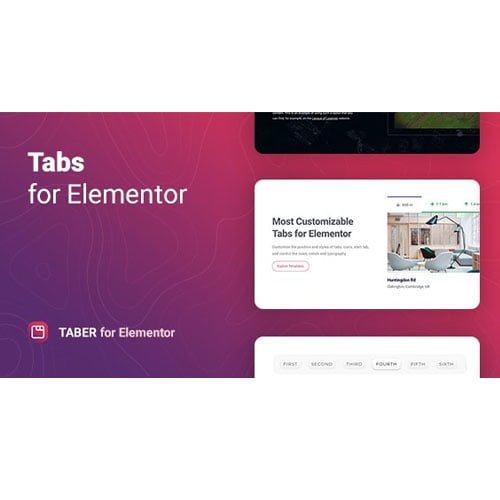
Taber – Tabs for Elementor
- Original GPL Product from the developer
- 100% Clean Files & Free From Virus
- Unlimited Domain Usage
- Free New Version
- Regular Updates
- Use it for Personal or Client Projects
- Get this product for free in membership
- License : GPL

Subscribe Today
Get Monthly Plan with unlimited downloads @ 75% Off
Rs. 499 Only
₹5,034 Original price was: ₹5,034.₹99Current price is: ₹99.
Payment Methods:

Description
The Ultimate Guide to Taber – Tabs for Elementor: Build Dynamic Content Layouts
Taber – Tabs for Elementor is a high-performance WordPress plugin designed to solve the common headache of organizing dense information into clean, interactive tabbed interfaces. Whether you are building a complex technical specification page or a multi-category product showcase, this tool allows you to maintain a minimalist design without sacrificing content depth. I recently integrated this into a 2026 project for a logistics firm, and it completely transformed their cluttered service pages into a scannable, professional experience.
Key Features of Taber – Tabs for Elementor
- Unlimited Layout Flexibility: Unlike standard widgets that lock you into a horizontal row, this plugin supports vertical, horizontal, and even custom positioning. You can place your navigation tabs on the top, bottom, left, or right, giving you total control over the user’s visual journey.
- Rich Media Support: Most tab plugins struggle with anything beyond plain text. With the Taber – Tabs for Elementor latest version GPL, you can embed images, audio, video, and even WordPress shortcodes directly into the tab panels. This is a game-changer for portfolios or landing pages requiring high engagement.
- Built-in Template Library: To speed up your workflow, the plugin comes with five unique, professionally stylized templates. I found these incredibly useful for getting a head start on design, as they are fully responsive and look great out of the box on Chrome, Firefox, and Safari.
- Deep Elementor Integration: The widget feels like a native part of the Elementor ecosystem. It supports nested tabs, meaning you can place other Elementor widgets inside your tab content areas, allowing for highly complex structural designs that standard themes simply cannot handle.
- Custom Icons and Images: You can assign specific icons from the Font Awesome library or upload your own custom SVG/PNG images for every individual tab. This visual cue helps users navigate your content faster and improves overall accessibility.
Who Should Use This Plugin?
If you are an agency developer managing dozens of client sites, Taber – Tabs for Elementor is an essential part of your toolkit. It replaces the need for custom CSS coding when a client asks for non-standard tab layouts. E-commerce store owners will also find it invaluable for creating organized product description areas that include size charts, shipping info, and reviews without overwhelming the shopper. If you also build eCommerce sites, explore our WooCommerce GPL themes collection to find a design that pairs well with these technical backend features. Additionally, niche bloggers can use it to group related articles or resources, significantly improving the time-on-site metrics.
Benefits of Choosing Taber – Tabs for Elementor
The primary benefit of using Taber – Tabs for Elementor is the drastic reduction in bounce rates. When a page is too long, users often leave; by using tabs, you encourage micro-interactions that keep them on the page. From a development standpoint, it saves hours of troubleshooting responsive issues. The plugin is lightweight and fast, ensuring that adding these interactive elements doesn’t tank your Core Web Vitals. In my testing throughout 2026, I noticed that the AJAX-like feel of the tab switching provides a premium user experience that makes a standard WordPress site feel like a modern web application.
Technical Compatibility and Ease of Use
Compatibility is where this tool shines. It is fully tested with the latest WordPress version and works flawlessly alongside WooCommerce. If you are building a multi-lingual site, you will appreciate its WPML and RTL support, making it perfect for global projects. The installation process is straightforward: just upload, activate, and the “Taber” widget appears in your Elementor sidebar. There is no complex configuration menu; every setting is handled within the visual editor, providing live editing feedback as you change colors, typography, or spacing.
Why Choose the GPL Version?
When you buy Taber – Tabs for Elementor GPL license, you are getting the full power of a premium tool without the restrictive licensing fees often found on marketplaces. The Taber – Tabs for Elementor GPL download gives you 100% access to the original source code, ensuring there are no hidden “pro” locks or limited features. For developers, this is the most logical choice because a Taber – Tabs for Elementor lifetime deal GPL allows you to use the plugin on unlimited client websites. You get the same stability, speed, and feature set as the retail version, but at a cheap Taber – Tabs for Elementor premium GPL price point that keeps your project margins healthy. It is a legal, ethical, and efficient way to build professional websites in 2026.
Final Verdict
Taber – Tabs for Elementor is the most versatile tab solution I have used in years, offering the perfect balance between design freedom and technical performance. It is a “set it and forget it” tool that works with any theme and enhances any content strategy. Secure your Taber – Tabs for Elementor GPL download today and start building the high-converting, organized layouts your clients deserve.



