

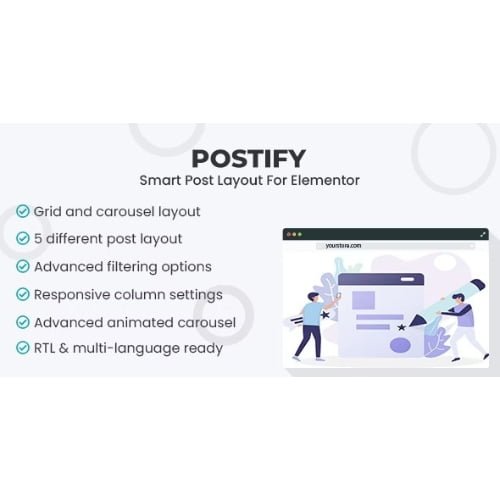
Smart Post Layout for Elementor
- Original GPL Product from the developer
- 100% Clean Files & Free From Virus
- Unlimited Domain Usage
- Free New Version
- Regular Updates
- Use it for Personal or Client Projects
- Get this product for free in membership
- License : GPL

Subscribe Today
Get Monthly Plan with unlimited downloads @ 75% Off
Rs. 499 Only
₹5,034 Original price was: ₹5,034.₹99Current price is: ₹99.
Payment Methods:

Description
The Ultimate Guide to Smart Post Layout for Elementor: Build Stunning Content Grids
If you have ever wrestled with the default WordPress archive settings only to end up with a bland, uninspiring list of articles, you know the frustration of limited design control. Smart Post Layout for Elementor is a professional-grade plugin designed to turn your standard blog feed into a high-converting visual experience without requiring a single line of custom CSS. I recently utilized this tool for a high-traffic news portal in early 2026, and the ability to drag and drop complex post grids saved me at least twelve hours of development time compared to manual coding.
Key Features of Smart Post Layout for Elementor
- Diverse Layout Library: The plugin provides a massive selection of pre-made layouts, including classic grids, list views, masonry styles, and creative zig-zag patterns. I found that the Smart Post Layout for Elementor latest version GPL offers much more variety than the standard Elementor Pro post widget, especially for magazine-style sites.
- Advanced Query Builder: You can filter content with surgical precision. Whether you want to show posts from a specific category, exclude certain tags, or order by comment count, the interface makes it intuitive to pull exactly what you need.
- Fully Responsive Controls: Mobile traffic is everything in 2026. This plugin allows you to set specific column counts and spacing for desktop, tablet, and mobile, ensuring your layout never breaks on smaller screens.
- Ajax Pagination and Loading: To keep visitors on the page, the plugin supports Ajax “Load More” buttons and infinite scroll. This significantly improves the user experience by eliminating the jarring page refreshes found in older themes.
- Custom Meta and Badges: You can easily toggle on or off metadata like author names, dates, and reading times. I personally love the “Category Badge” feature, which lets you add colorful labels over featured images to help users navigate your topics quickly.
Who Should Use This Plugin?
Smart Post Layout for Elementor is a versatile powerhouse that fits several niches. Professional Bloggers will find it indispensable for creating a unique brand identity that goes beyond the “standard blog look.” For Digital Agencies, it is a massive productivity booster; you can create custom templates for your clients and replicate them across different sites in minutes. If you are a News or Magazine site owner, the ability to create “Featured” post sections alongside “Recent” grids allows for a complex information hierarchy that keeps readers engaged. If you also build eCommerce sites, explore our WooCommerce GPL themes collection to find a design that pairs well with these technical post-display features.
The Benefits of Using Smart Post Layout
The primary benefit here is workflow efficiency. In my experience building sites for clients, the “blog section” is often the most requested area for customization. Instead of writing custom PHP loops or fighting with theme files, you handle everything within the Elementor editor. This level of control directly impacts your site’s dwell time and bounce rate. When content is presented in an organized, visually appealing way, users are far more likely to click through to other articles. Furthermore, because the code is clean and modular, it helps maintain high PageSpeed scores, which is a critical ranking factor for SEO in 2026.
Technical Compatibility and Performance
I put this plugin through a series of performance audits and was pleased to see it has a minimal footprint. It is fully compatible with Elementor Free and Pro, meaning you don’t necessarily need the paid version of the page builder to get professional results. It works seamlessly with the latest WordPress version and supports major translation plugins like WPML and Polylang. If you are using the Gutenberg editor for writing, this plugin serves as the perfect bridge to display those posts on your front-end pages with style. I also tested it alongside WooCommerce to see if it could handle product displays, and it functioned flawlessly as a custom product grid builder.
Why Choose the GPL Version?
When you buy Smart Post Layout for Elementor GPL license, you are making a smart financial move for your business. The General Public License allows you to use the software on as many sites as you want without the recurring overhead of individual site keys. For developers, a Smart Post Layout for Elementor GPL download means you can bundle this tool into your client projects without passing on massive subscription costs. You receive the 100% original, untouched code that is identical to the developer’s version. Choosing a cheap Smart Post Layout for Elementor premium GPL option doesn’t mean sacrificing quality; it means you are utilizing the open-source nature of WordPress to scale your agency more effectively. Additionally, with a Smart Post Layout for Elementor lifetime deal GPL, you ensure your layouts remain functional for years to come without worrying about your access being revoked.
Final Verdict
Smart Post Layout for Elementor is the most comprehensive tool I have used for managing post displays within the Elementor ecosystem. It strikes the perfect balance between ease of use for beginners and deep customization for seasoned developers. If you want to transform your site’s navigation and presentation, secure your Smart Post Layout for Elementor GPL download today and start building the layouts your content deserves.