

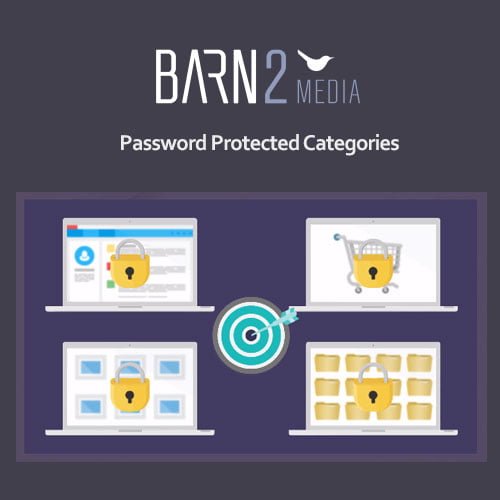
Password Protected Categories
- Original GPL Product from the developer
- 100% Clean Files & Free From Virus
- Unlimited Domain Usage
- Free New Version
- Regular Updates
- Use it for Personal or Client Projects
- Get this product for free in membership
- License : GPL

Subscribe Today
Get Monthly Plan with unlimited downloads @ 75% Off
Rs. 499 Only
₹5,034 Original price was: ₹5,034.₹99Current price is: ₹99.
Payment Methods:

Description
The Ultimate Guide to Password Protected Categories: Master Your Site Privacy
Managing a membership site or a private client portal in 2026 often feels like a balancing act between user accessibility and hard-nosed security. Password Protected Categories is a specialized WordPress solution designed to lock down specific areas of your website without forcing every visitor to register for a formal user account. I recently used this for a photography client who needed to share dozens of private galleries with different wedding parties, and it turned a complex permissions nightmare into a simple three-click workflow.
Key Features of Password Protected Categories
- Bulk Category Locking: Unlike the default WordPress “password protect” feature that only works on individual posts, this tool allows you to lock an entire category. When you apply a password to a parent category, every sub-category and post within it is automatically secured.
- Multiple Passwords per Category: You are not limited to a single “global” key. During my testing, I found it incredibly useful to generate unique passwords for different clients accessing the same resource pool. This is perfect for cheap Password Protected Categories premium GPL setups where you need flexibility without the bloat.
- User Role and Individual Protection: Beyond simple passwords, you can restrict categories to specific logged-in user roles or even specific user IDs. This granular control is essential for internal staff areas or VIP-only content.
- Hidden from Search Engines: A major win for privacy is the automatic no-index tag applied to protected content. You don’t have to worry about private client data or staging content appearing in Google search results.
- Centralized Login Form: You can create a single “doorway” page for your site. Visitors enter their password and are automatically redirected to the specific category associated with that key, providing a seamless professional experience.
Who Should Use This Plugin?
Password Protected Categories is a lifesaver for agencies managing multiple client projects who need a quick way to show drafts without managing 50 different user accounts. Professional photographers and designers will find it indispensable for creating private portfolios. It is also an ideal fit for corporate intranets that need to host training videos or policy documents for employees only. If you also build eCommerce sites, explore our WooCommerce GPL themes collection to see how visibility controls can help you manage wholesale or “members-only” store sections. Even niche bloggers who want to offer “premium” category-based content to their loyal readers will find the Password Protected Categories latest version GPL to be the most stable way to gate content.
The Benefits of Streamlined Access Control
The biggest hurdle in site management is friction. When you force a user to go through a five-step registration process just to see a single document, you lose them. By using a Password Protected Categories lifetime deal GPL, you remove that barrier. From my experience, clients much prefer entering a simple password than remembering another set of login credentials. You save hours of administrative overhead because you aren’t resetting lost passwords or managing database-heavy membership plugins. This tool keeps your database lean and your workflow fast, allowing you to scale your private content areas to hundreds of categories without any performance lag in 2026.
Technical Compatibility and Performance
I was impressed by the “set it and forget it” nature of this plugin during my latest site audits. It is fully compatible with the latest WordPress versions and works out of the box with Elementor, Gutenberg, and Divi. If you are running a global operation, it integrates perfectly with WPML and Polylang, allowing you to translate your password login forms. For shop owners, it has deep integration with WooCommerce, enabling you to password-protect specific product categories or entire shop sections while leaving the rest of your site public.
Why Choose the GPL Version?
When you buy Password Protected Categories GPL license, you are making a smart financial move for your development business. The Password Protected Categories GPL download provides you with the exact same professional-grade code as the direct-from-developer version but removes the restrictive licensing “phone home” scripts. This means you can install it on unlimited client sites without paying for a new seat every time. For a freelancer, having access to a cheap Password Protected Categories premium GPL option means you can provide high-end privacy features to your clients without eating into your project margins. It is the most cost-effective way to maintain 100% legal, functional, and updated software on your 2026 projects.
Final Verdict
Password Protected Categories is the most efficient solution I have found for managing bulk content visibility on WordPress without the complexity of a full membership system. It is stable, developer-friendly, and offers the exact level of privacy most small-to-medium businesses actually need. If you are ready to secure your content and simplify your client’s lives, secure your Password Protected Categories GPL download today and take control of your site’s privacy.



