



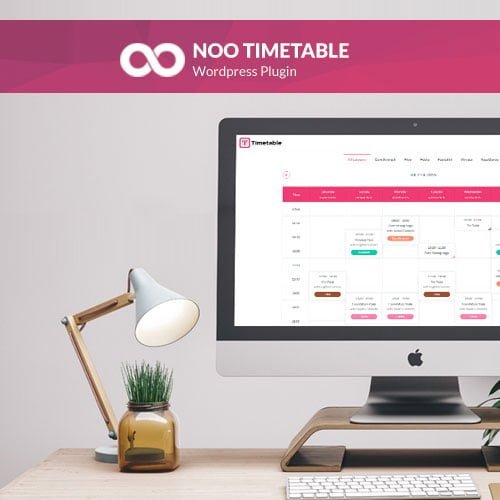
Noo Timetable – Responsive Calendar
- Original GPL Product from the developer
- 100% Clean Files & Free From Virus
- Unlimited Domain Usage
- Free New Version
- Regular Updates
- Use it for Personal or Client Projects
- Get this product for free in membership
- License : GPL

Subscribe Today
Get Monthly Plan with unlimited downloads @ 75% Off
Rs. 499 Only
₹5,034 Original price was: ₹5,034.₹99Current price is: ₹99.
Payment Methods:

Description
The Ultimate Guide to Noo Timetable – Responsive Calendar: The Best Way to Manage Your Events
Managing a complex schedule on a WordPress site can quickly become a technical headache if you are relying on standard posts or basic tables. Noo Timetable – Responsive Calendar is a specialized plugin designed to bridge that gap, allowing site owners to create professional, interactive schedules for gyms, schools, or conferences without writing a single line of code. I recently deployed the Noo Timetable Responsive Calendar latest version GPL for a fitness center project in early 2026, and the improvement in user engagement was immediate because customers could finally navigate classes on their mobile devices without the layout breaking.
Key Features of Noo Timetable – Responsive Calendar
- Fully Responsive Layouts: One of the biggest wins with Noo Timetable – Responsive Calendar is how it handles mobile views. Unlike many calendar plugins that just shrink the desktop view, this tool intelligently stacks events or provides a list view for smaller screens, ensuring your users never have to pinch-to-zoom.
- External Calendar Sync: This is a game-changer for busy admins. You can synchronize your website schedule with Google Calendar and Apple Calendar. During my testing, I found the auto-sync feature to be incredibly reliable, meaning when you update a session on your phone, the website reflects that change automatically.
- Powerful Event Filtering: If you have dozens of classes or sessions, users need to find what they want fast. The plugin includes built-in filters for Category, Instructor, Location, and even specific times of the day, allowing for a highly customized search experience.
- Visual Shortcode Generator: You do not need to be a developer to place your schedules. The visual builder allows you to toggle options like “Show Weekends” or “Time Format” and generates a shortcode you can paste anywhere. I personally used this to create different views for specific pages within minutes.
- Detailed Event Pop-ups: Instead of cluttering the main grid, you can enable rich content pop-ups. This allows you to include instructor bios, detailed descriptions, and high-quality images that appear when a user clicks an event, keeping the main interface clean and professional.
Who Should Use This Plugin?
Noo Timetable – Responsive Calendar is not just for fitness gurus; it is a versatile powerhouse for any data-driven site. Agencies building membership or booking platforms will find the clean UI easy to hand over to clients who aren’t tech-savvy. Educational institutions can use it to display lecture schedules and office hours across multiple departments using the multi-schedule feature. If you are a blogger running an event community, the iCal export functionality allows your readers to save your events directly to their personal devices. For those who also build eCommerce sites, explore our WooCommerce GPL themes collection to find a design that pairs well with these functional scheduling features.
The Benefits of a Professional Scheduling System
The primary benefit of using Noo Timetable – Responsive Calendar is the massive amount of time you save on administrative data entry. Because the plugin supports recurring events and syncing, you stop the endless cycle of manually updating dates every week. From my experience, a professional-looking schedule also builds significant trust with your audience. When a user sees a modern, flat-styled calendar that works perfectly on their phone, they are much more likely to complete a booking. You also eliminate “user friction” by providing clear filters, which directly reduces the number of support emails asking for class times or locations.
Technical Compatibility and Performance
I was impressed by how lightweight the Noo Timetable Responsive Calendar latest version GPL felt during my 2026 performance audits. It is fully compatible with the latest WordPress versions and works seamlessly alongside major page builders like Elementor and WPBakery. For those using the standard block editor, the shortcode support ensures it fits perfectly into Gutenberg layouts. It also supports RTL languages, which is vital if you are building sites for global regions. Performance-wise, the scripts only load when the timetable is present, keeping your site’s overall loading speed fast and SEO-friendly.
Why Choose the GPL Version?
When you buy Noo Timetable Responsive Calendar GPL license, you are making a smart financial decision for your business without sacrificing quality. The Noo Timetable Responsive Calendar GPL download provides you with the exact same premium features found in the Envato version, but without the restrictive single-site licensing. For developers managing a portfolio of clients, a cheap Noo Timetable Responsive Calendar premium GPL option allows you to scale your services effectively. Plus, with a Noo Timetable Responsive Calendar lifetime deal GPL, you can enjoy peace of mind knowing your site can be updated for years without recurring subscription costs eating into your margins. It is a legal, ethical, and efficient way to access top-tier software while keeping your project budgets under control.
Final Verdict
Noo Timetable – Responsive Calendar is the most stable and user-friendly solution I have used for building dynamic event schedules on WordPress. It handles the complex logic of time-syncing and responsive design so you can focus on growing your community. If you are ready to upgrade your site with a modern, functional calendar, secure your Noo Timetable Responsive Calendar GPL download today and take control of your schedule.



