



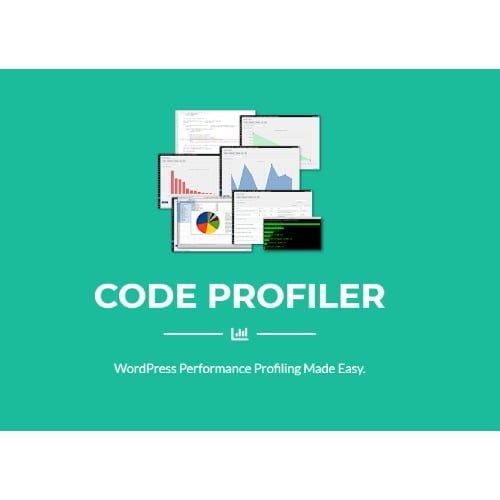
Code Profiler Pro
- Original GPL Product from the developer
- 100% Clean Files & Free From Virus
- Unlimited Domain Usage
- Free New Version
- Regular Updates
- Use it for Personal or Client Projects
- Get this product for free in membership
- License : GPL

Subscribe Today
Get Monthly Plan with unlimited downloads @ 75% Off
Rs. 499 Only
₹5,034 Original price was: ₹5,034.₹99Current price is: ₹99.
Payment Methods:

Description
The Ultimate Guide to Code Profiler Pro: The Best Performance Audit Tool for WordPress
If you have ever stared at a spinning loader on your WordPress dashboard or watched your site’s PageSpeed scores plummet without knowing why, you know how frustrating “vague” performance issues can be. Code Profiler Pro is a professional-grade performance plugin designed to eliminate the guesswork by measuring theme and plugin execution at the PHP level. I recently used this on a complex client build in early 2026 to identify a single line of legacy code that was tripling the admin-side load time, turning a “gut feeling” into a surgical fix.
Key Features of Code Profiler Pro
- Granular PHP Analysis: Unlike generic speed tests, this tool breaks down performance by script, class, and method. You can see exactly which function within a plugin is hogging CPU resources, which is a lifesaver when you are trying to optimize custom-coded solutions.
- Database Query Monitoring: It tracks every SQL query triggered during a page load, highlighting slow or redundant calls. I found this particularly useful for identifying “N+1” query problems in custom loops that otherwise looked perfectly fine on the surface.
- File and Network I/O Tracking: The Code Profiler Pro latest version GPL includes advanced sections for Remote Connections and File I/O. This means you can spot if an external API call or a heavy disk-read operation is the hidden culprit behind your Time to First Byte (TTFB) delays.
- Visual Execution Timelines: It generates clean, easy-to-read charts and tables that visualize the entire execution process. Being able to show a client a visual bottleneck helps justify the time spent on technical debt and backend optimization.
- Authenticated User Profiling: You can run profiles as specific user roles or even specific usernames. This is critical for troubleshooting lag that only occurs for shop managers or logged-in members, which standard guest-only cache testers simply cannot see.
Who Should Use This Plugin?
Code Profiler Pro is an essential addition to any developer’s toolkit, but it serves a few specific groups exceptionally well. Agencies and Freelancers will find it indispensable for performing pre-launch audits and ensuring their custom builds are as lean as possible. If you are an eCommerce store owner, this tool helps you identify heavy WooCommerce components that might be slowing down your checkout flow during high-traffic events. It is also a “must-have” for Site Reliability Engineers (SREs) who need to harden installations against performance regressions after updates. If you also build eCommerce sites, explore our WooCommerce GPL themes collection to find high-performance designs that complement a lean backend.
The Benefits of Code Profiler Pro
The primary benefit of using Code Profiler Pro is the massive amount of time it saves during the debugging process. Instead of deactivating plugins one by one—a tedious process that often breaks site functionality—you can simply run a profile and see the data immediately. This precision allows you to fix bottlenecks in minutes rather than hours. Furthermore, it helps improve your site’s SEO and user retention; by reducing PHP execution time, you directly lower your TTFB, which is a key metric for Google’s Core Web Vitals. In my experience throughout 2026, using this tool has allowed me to keep client sites running at peak efficiency even as they scale with more complex features.
Technical Compatibility and Performance
I was impressed by the low overhead of the plugin itself. Because it is a “read-only” profiler, it doesn’t modify your core files, making it safe to use on both staging and production environments. It is fully compatible with the latest WordPress versions and works seamlessly with PHP 8.2 and 8.3. Whether you are using Elementor, Gutenberg, or Oxygen, the profiler accurately captures the resource usage of these builders. It also respects object caching and opcode cache settings, providing an accurate picture of how your site performs in a real-world, cached environment.
Why Choose the GPL Version?
When you buy Code Profiler Pro GPL license, you are getting the full power of the professional version without the restrictive licensing hurdles often found with “per-site” keys. For developers managing a portfolio of sites, a Code Profiler Pro GPL download is the most cost-effective way to ensure every client receives the same level of performance auditing. You get access to the 100% original code, which is clean and safe to use across unlimited domains. Opting for a cheap Code Profiler Pro premium GPL package allows you to allocate more of your project budget toward hosting or content, rather than recurring plugin subscriptions. Plus, with a Code Profiler Pro lifetime deal GPL, you can perform audits for years to come without worrying about your license expiring right when you need it most.
Final Verdict
Code Profiler Pro is the most detailed and reliable PHP profiling tool available for the WordPress ecosystem today. It transforms the way you approach speed optimization, moving you from guesswork to data-driven decision-making. If you are ready to take full control of your site’s performance, secure your Code Profiler Pro GPL download today and start building faster, more efficient websites.



