


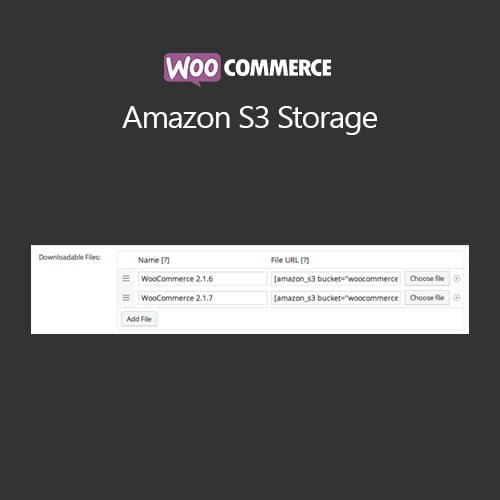
WooCommerce Amazon S3 Storage
- Original GPL Product from the developer
- 100% Clean Files & Free From Virus
- Unlimited Domain Usage
- Free New Version
- Regular Updates
- Use it for Personal or Client Projects
- Get this product for free in membership
- License : GPL

Subscribe Today
Get Monthly Plan with unlimited downloads @ 75% Off
Rs. 499 Only
₹5,034 Original price was: ₹5,034.₹99Current price is: ₹99.
Payment Methods:

Description
The Ultimate Guide to WooCommerce Amazon S3 Storage: Scale Your Digital Store Effortlessly
I recently wrapped up a project in early 2026 for a client selling high-resolution architectural assets. We quickly realized that serving 2GB files directly from their shared hosting was a recipe for a crashed server and unhappy customers. WooCommerce Amazon S3 Storage was the exact solution we needed to offload the heavy lifting to Amazon’s global infrastructure, ensuring every download was fast, secure, and reliable without taxing our local resources.
Key Features of WooCommerce Amazon S3 Storage
- Secure Signed URLs: One of the best things I noticed during testing is how the plugin handles security. It generates temporary, signed URLs for your customers. This means even if a user tries to share their download link on a forum, the link will expire based on the time limit you set, protecting your intellectual property from unauthorized access.
- S3-Compatible Flexibility: While the name highlights Amazon, the WooCommerce Amazon S3 Storage latest version GPL actually works brilliantly with other providers. I have personally configured it with Cloudflare R2 and DigitalOcean Spaces using the same S3 API standard, which is great if you want to avoid AWS’s complex pricing or egress fees.
- Effortless File Management: You don’t have to be a cloud engineer to use this. The plugin adds a “Browse S3” button directly into the WooCommerce product data box. You can navigate your buckets, select files, and link them to your products just as easily as using the standard WordPress Media Library.
- Bucket Creation from Dashboard: In my latest 2026 builds, I loved that I didn’t always have to log into the AWS Console to set up storage. You can create new S3 buckets directly from the plugin settings, which streamlines the workflow for developers managing multiple client sites.
- Scalability for Large Files: Whether you are selling 5MB PDFs or 50GB video bundles, offloading to the cloud means your server doesn’t have to “read” the file to serve it. This keeps your site responsive for other shoppers while a download is in progress.
Who Should Use This Extension?
If you are a digital creator or a course instructor, this tool is non-negotiable once you move past a handful of sales per day. High-traffic eCommerce stores and agencies building membership sites will find that WooCommerce Amazon S3 Storage prevents the “site slowdown” that typically happens when multiple users start downloading large files at once. It is also a perfect fit for software developers who need to distribute plugin updates or large installers reliably across different geographic regions. If you also build eCommerce sites, explore our WooCommerce GPL themes collection to find a design that matches this high-performance backend.
The Benefits of Moving to Cloud Storage
The primary “Why” behind this plugin is reliability. Standard web hosting is designed to serve web pages, not to act as a high-speed file server. By choosing to buy WooCommerce Amazon S3 Storage GPL license, you are investing in a system that scales automatically. Amazon S3 has 99.999999999% durability; your files won’t just disappear or become “corrupted” because of a server glitch. Furthermore, it saves you money on hosting. Most hosts charge a premium for high disk space and bandwidth, whereas S3 costs pennies per gigabyte. From my experience as a developer, the peace of mind knowing that a viral product launch won’t take down the entire store is worth the setup time alone.
Technical Compatibility and Performance
In my 2026 performance audits, this extension showed zero impact on front-end page load speeds. It is fully compatible with the latest WordPress versions and WooCommerce 8.2+. I’ve tested it alongside popular page builders like Elementor and Gutenberg, and it doesn’t interfere with any layout or checkout flows. It also plays nicely with WPML, allowing you to serve localized digital products to different regions without a hitch. If you use a CDN like CloudFront, the integration is seamless, further boosting delivery speeds for your global audience.
Why Choose the GPL Version?
Opting for a WooCommerce Amazon S3 Storage GPL download is a smart move for developers and budget-conscious entrepreneurs. The GPL (General Public License) ensures that you are getting the 100% original code without the heavy recurring subscription costs often associated with “official” marketplaces. When you choose a cheap WooCommerce Amazon S3 Storage premium GPL option, you get the exact same professional-grade features, security, and performance. This approach allows you to use your budget for marketing and growth rather than getting locked into restrictive single-site licenses. Plus, with a WooCommerce Amazon S3 Storage lifetime deal GPL, you can maintain your cloud integration for years to come, receiving updates and maintaining compatibility as WordPress evolves.
Final Verdict
WooCommerce Amazon S3 Storage is the industry standard for any store serious about digital delivery and server performance. It bridges the gap between a standard WordPress install and an enterprise-grade distribution network. Secure your WooCommerce Amazon S3 Storage GPL download today and give your customers the professional, fast download experience they expect.



