



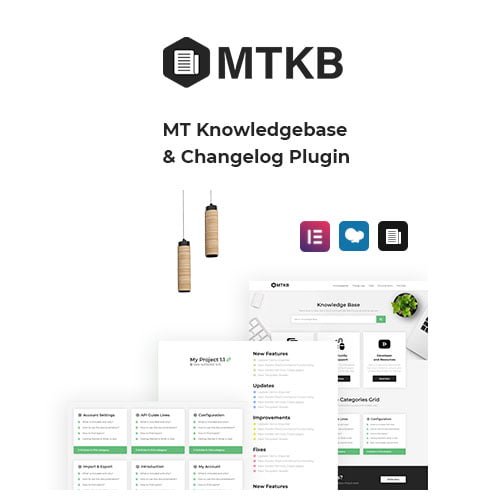
MT Knowledgebase & Changelog WordPress Plugin
- Original GPL Product from the developer
- 100% Clean Files & Free From Virus
- Unlimited Domain Usage
- Free New Version
- Regular Updates
- Use it for Personal or Client Projects
- Get this product for free in membership
- License : GPL

Subscribe Today
Get Monthly Plan with unlimited downloads @ 75% Off
Rs. 499 Only
₹5,034 Original price was: ₹5,034.₹99Current price is: ₹99.
Payment Methods:

Description
The Ultimate Guide to MT Knowledgebase & Changelog WordPress Plugin: Build a Professional Documentation Hub
If you have ever launched a software product or a complex service in 2026, you know that your support inbox can quickly become a bottleneck that stifles growth. The MT Knowledgebase & Changelog WordPress Plugin is a professional-grade solution designed to transform how you communicate technical updates and self-service documentation to your users. I recently integrated this tool for a SaaS client who was struggling with repetitive support queries, and the immediate reduction in ticket volume was a testament to how well this plugin organizes information.
Key Features of MT Knowledgebase & Changelog WordPress Plugin
- Dual-Purpose Functionality: Unlike basic documentation tools, this plugin handles both static knowledge base articles and chronological changelogs within a single interface. I found that linking a specific portfolio item to its corresponding changelog and documentation creates a seamless experience for end-users.
- Live AJAX Search: The MT Knowledgebase & Changelog WordPress Plugin latest version GPL includes a high-performance search form that provides instant results as users type. During my testing, the search speed remained consistent even with hundreds of articles, which is critical for keeping frustrated users on your site.
- Advanced Portfolio Integration: You get a dedicated portfolio template equipped with filters for keywords, categories, and tags. This is particularly useful for agencies who want to showcase their work while providing direct links to the relevant technical documentation for each project.
- Voting and Feedback Systems: Logged-in users can like or vote on articles, providing you with data-driven insights into which parts of your documentation are actually helpful. This built-in feedback loop allows you to prioritize content updates based on real user needs rather than guesswork.
- Shortcode Versatility: With over 10 custom shortcodes, you can display most-liked, most-viewed, or recent articles anywhere on your site. This flexibility helped me build a custom dashboard for a client that highlighted the most critical “Getting Started” guides on their main member page.
Who Should Use This Plugin?
The MT Knowledgebase & Changelog WordPress Plugin is the ideal choice for software developers and SaaS founders who need a centralized hub for version history and technical guides. If you run a digital agency, this plugin allows you to provide each client with a dedicated documentation area, making your hand-off process look significantly more professional. E-commerce store owners who sell complex products can also benefit by creating a “How-To” library that reduces pre-sale questions. If you also build eCommerce sites, explore our WooCommerce GPL themes collection to find designs that pair perfectly with this technical backend powerhouse.
Benefits of Implementing a Structured Knowledge Base
The primary benefit of the MT Knowledgebase & Changelog WordPress Plugin is the massive amount of time it saves your support team. By providing a searchable, organized database of answers, you empower your customers to solve their own problems 24/7. From my experience as a developer, having a public changelog also builds immense trust with your user base; it proves that your product is actively maintained and evolving. Furthermore, the MT Knowledgebase & Changelog WordPress Plugin latest version GPL is optimized for SEO, meaning your documentation can actually serve as a top-of-funnel traffic source as people search for solutions to specific technical problems online.
Technical Compatibility and Performance
I was impressed by how lightweight this plugin felt during a 2026 performance audit. It is fully compatible with the latest WordPress versions and plays nicely with the most popular page builders, including Elementor and WPBakery. For international projects, the plugin is WPML ready and translatable, ensuring you can support a global audience without technical hurdles. It also works seamlessly with Gutenberg, allowing you to use standard blocks alongside the plugin’s specialized shortcodes for a modern editing experience.
Why Choose the GPL Version?
When you buy MT Knowledgebase & Changelog WordPress Plugin GPL license, you are making a smart financial decision for your business without sacrificing quality. The GPL version provides you with the exact same source code as the “official” release, but at a fraction of the cost. This is especially advantageous for developers who manage multiple client sites; the MT Knowledgebase & Changelog WordPress Plugin GPL download allows you to deploy the tool across your entire portfolio without being throttled by restrictive single-site license keys. Choosing a cheap MT Knowledgebase & Changelog WordPress Plugin premium GPL option means you can reallocate your budget toward marketing and product development. Additionally, a MT Knowledgebase & Changelog WordPress Plugin lifetime deal GPL ensures you have access to a stable, professional tool for years to come without the headache of recurring annual subscriptions.
Final Verdict
The MT Knowledgebase & Changelog WordPress Plugin is the most comprehensive tool I have used for bridging the gap between product development and customer support. It is fast, easy to style, and provides the exact features needed to build a high-authority documentation portal. If you are ready to professionalize your user support and automate your version tracking, secure your MT Knowledgebase & Changelog WordPress Plugin GPL download today.



